2025-12-29
Why Teams Resist AI Presentation Makers (And How to Fix It)
The hidden adoption barriers that make presentation automation fail—and the one approach that actually works
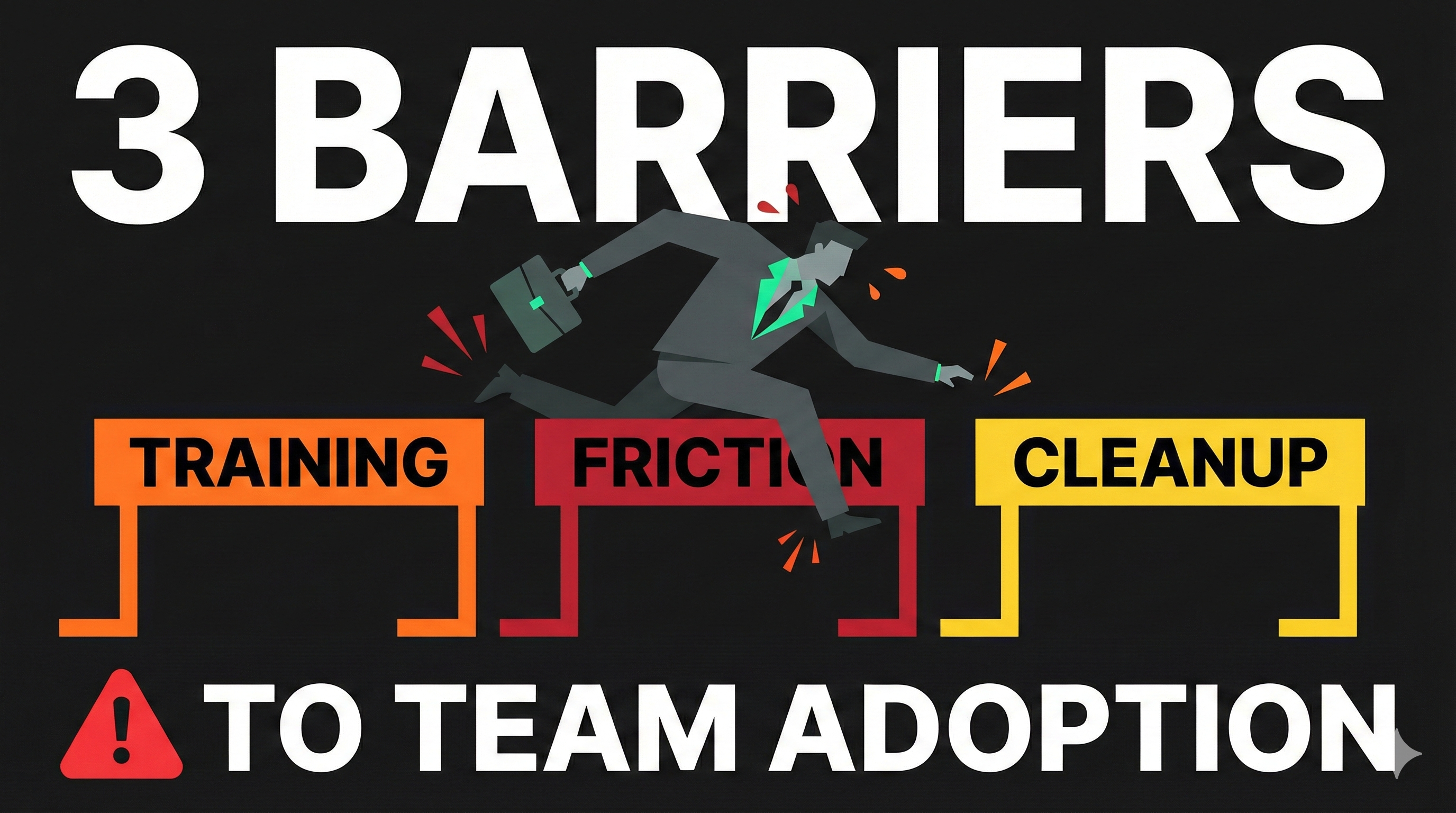
Your company subscribed to an AI presentation maker that promised to cut presentation creation time by 70%. Three months later, most of your team still creates slides manually. The few people using the tool spend extra time reformatting outputs to match brand standards, and collaboration has become more complicated rather than simpler.
This scenario repeats across organizations trying to implement presentation automation. McKinsey research found that while 90% of employees experiment with generative AI tools individually, only 13% of organizations successfully implement these technologies at the team level. The gap between individual interest and organizational adoption reveals the real challenge: AI presentation makers fail not because the technology doesn’t work, but because they disrupt workflows more than they improve them.
Understanding why teams resist these tools—and what makes some implementations succeed while others fail—determines whether presentation automation delivers actual productivity gains or becomes another abandoned software investment.
The Three Barriers That Kill Adoption
Most organizations blame adoption failures on employee resistance or insufficient training. But the real problems run deeper, rooted in how standalone AI presentation makers force teams to change successful workflows.
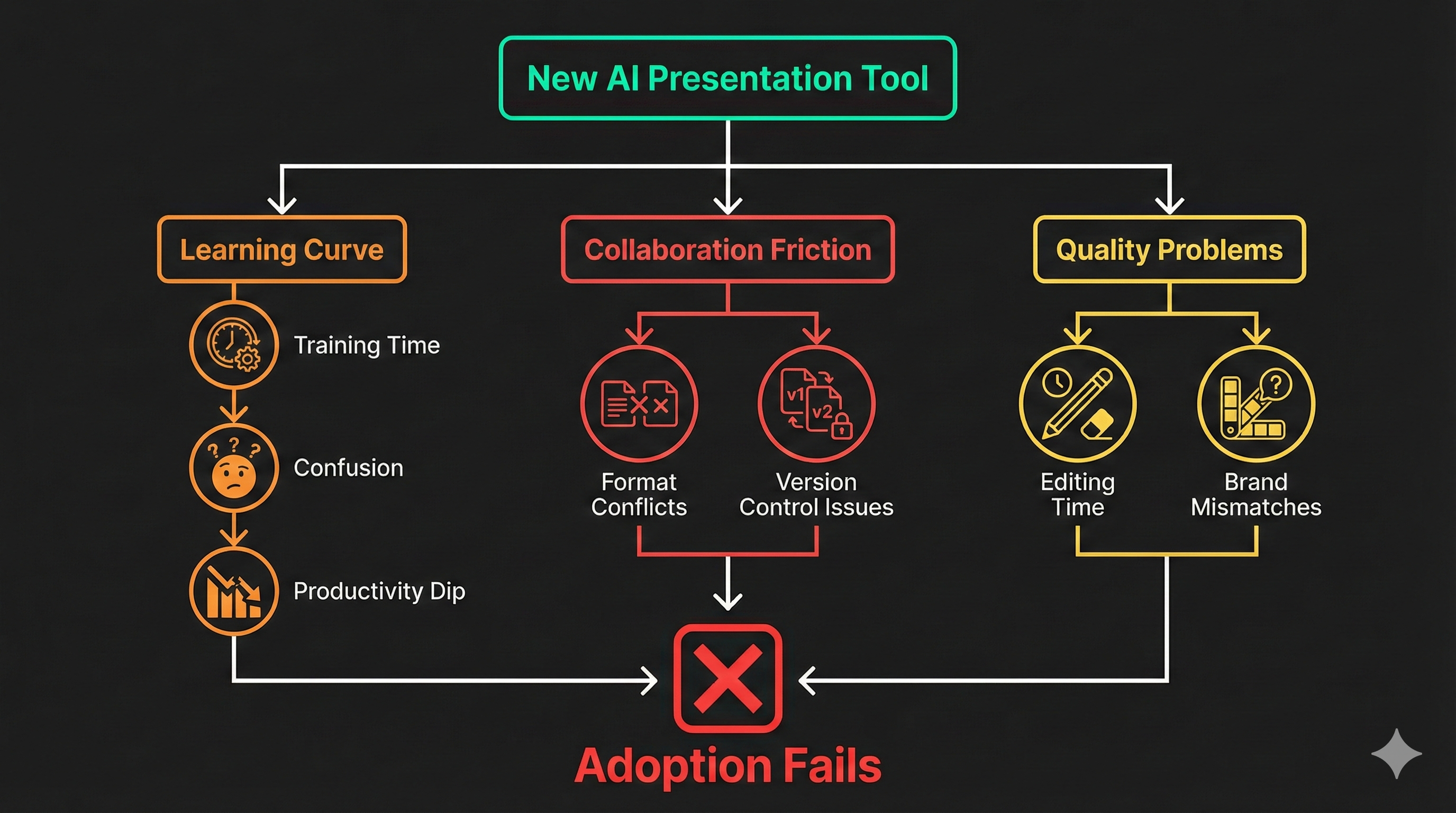
The first barrier is the learning investment required. New presentation platforms mean new interfaces to master, unfamiliar terminology to learn, and different mental models for how presentations get built. Research from Prosci identifies that 22% of employees struggle with AI’s learning curve, and the half-life of AI skills is approximately three to four months—meaning teams need continuous retraining as platforms evolve.
Calculate the actual time cost. If your ten-person team each spends four hours achieving basic proficiency, that’s 40 hours of productivity invested before anyone creates their first useful presentation. At typical loaded labor costs, you’ve spent thousands of dollars in training time before seeing returns. And that’s just initial training—platform updates, feature additions, and employee turnover create ongoing training overhead.
The second barrier emerges in collaboration workflows. When some team members use the new presentations maker while others stick with PowerPoint, every collaboration point creates friction. Files need conversion between formats. Version control fragments across systems. Review and approval processes that worked smoothly in PowerPoint become complicated when presentations live in different platforms. What should be simple collaboration becomes a coordination problem.
The third barrier shows up in the actual output quality. Many AI presentation makers generate content that requires extensive editing to match brand standards. When the time saved in generation gets consumed by post-generation cleanup, the promised productivity gains disappear. Teams rationally avoid tools that create more work than they eliminate, regardless of management mandates.
Why Traditional Adoption Strategies Fail
Organizations typically respond to poor adoption with predictable strategies that address symptoms rather than causes. They mandate tool usage through policy, create intensive training programs, or identify champions to demonstrate value. These approaches work for tools that enhance existing workflows—they consistently fail for tools that require workflow replacement.
Executive mandates that require teams to use the new platform create compliance theater rather than productive adoption. People use the tool minimally to satisfy requirements while continuing actual work in familiar systems. The result is dual workflows that reduce productivity rather than improving it, with teams maintaining both the old and new approaches simultaneously.
Training blitzes teach people how to use interfaces but don’t address why the tool doesn’t fit their workflow. Digital adoption research confirms that employee knowledge retention from one-time training sessions remains limited, leading to frustration and extended time searching for answers about how to apply what they learned. The tool remains foreign rather than familiar, and productivity suffers during the extended learning period.
Champion strategies identify enthusiastic early adopters to demonstrate value and support colleagues. This works for tools where value scales individually—it fails for presentation makers where value depends on collective adoption. When champions create presentations in the new tool but collaborators can’t easily review or edit them, the champion becomes isolated rather than influential. Their individual productivity gains don’t transfer because collaboration requires broader participation.
What Actually Works: Integration Over Replacement
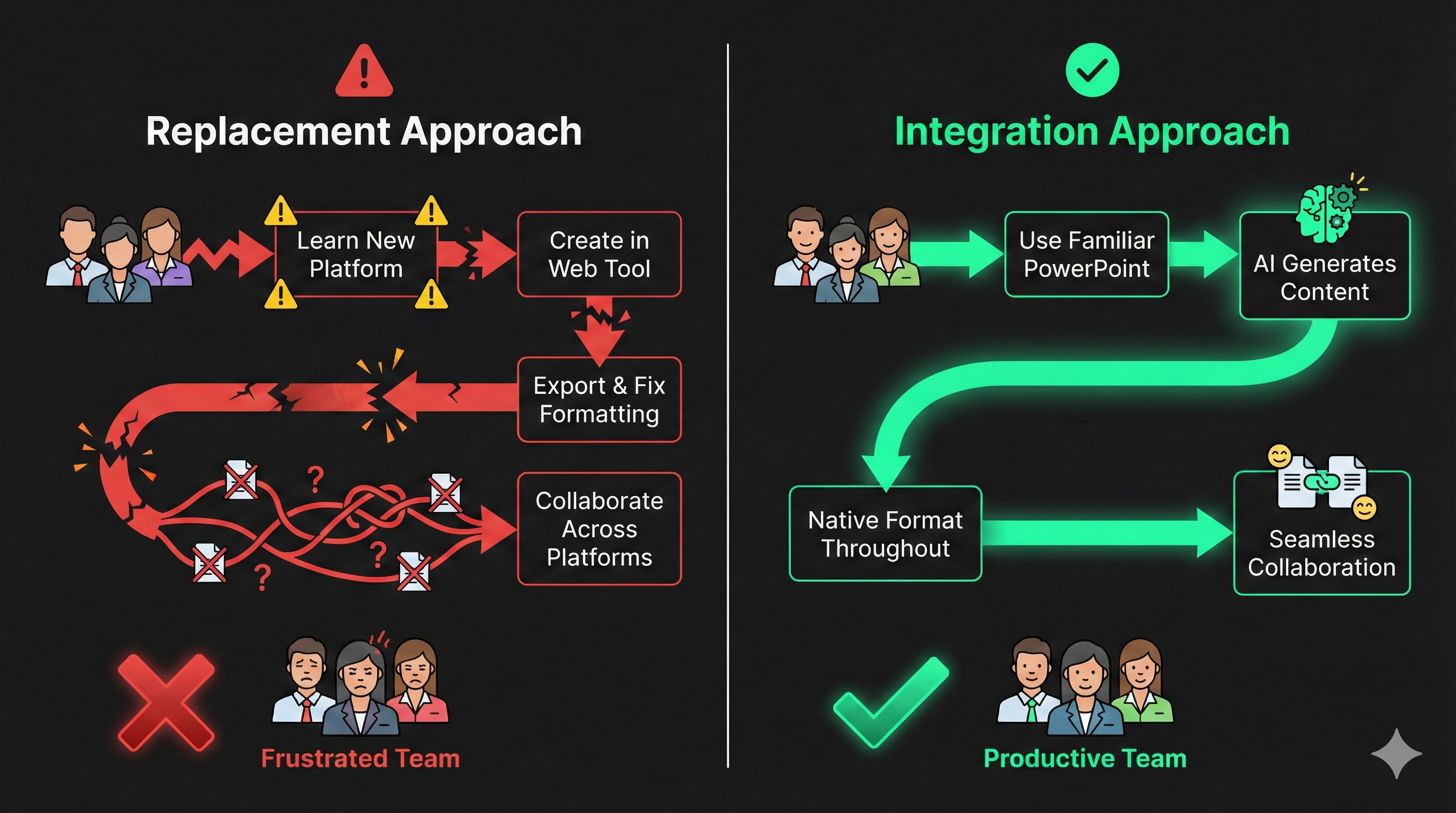
Successful presentation automation takes a fundamentally different approach. Instead of forcing teams to abandon familiar tools and learn new platforms, it enhances the tools teams already use. When AI works with existing PowerPoint files rather than replacing PowerPoint with proprietary systems, adoption barriers disappear.
The learning curve vanishes because teams continue using PowerPoint—software they already know. No new interface to master, no unfamiliar workflows to learn, no mental model shift required. AI accelerates content generation within familiar environments, and productivity improves immediately rather than after months of training investment.
Collaboration friction disappears when everyone works in the same familiar format. Presentations remain PowerPoint files that work in established review processes, integrate with existing version control, and distribute through normal channels. The coordination overhead of managing different platforms and file format conversions simply doesn’t exist.
Output quality improves because AI populates your existing templates rather than generating approximations. Your brand guidelines are enforced by the templates themselves, not by hoping AI interprets brand descriptions correctly. Legal disclaimers, footer elements, and compliance requirements stay exactly where you placed them. The presentations look right the first time because they’re built from templates you’ve already perfected. Our detailed analysis of template preservation approaches demonstrates how this technical architecture delivers superior results for business teams.
Real Adoption Requires Real Integration
The difference between AI presentation makers that teams resist and ones they embrace comes down to integration depth. Tools that require workflow changes face perpetual adoption struggles. Tools that work within existing workflows achieve adoption naturally because they make people’s jobs easier rather than different.
Consider how your team actually creates presentations today. They start in PowerPoint templates refined through years of use. They populate content from various sources—discovery call notes, client data, industry research. They collaborate through PowerPoint’s review features. They share files through established channels. They present using familiar software in familiar settings.
Now imagine AI that enhances this exact workflow without changing it. You upload existing PowerPoint templates, and LLeMental generates content directly within your slides while preserving your template structure. You can generate immediately or optionally add instructions to guide how content is created across your presentation. The AI synthesizes information from multiple documents simultaneously, creating cohesive narratives from diverse sources. But the output is a standard PowerPoint file that works in your existing workflow.
This integration approach eliminates all three adoption barriers. No learning investment required because the interface is PowerPoint. No collaboration friction because everyone works in the same format. No quality issues because AI populates your templates, not generic alternatives. For teams struggling to calculate whether automation investments will deliver returns, our ROI calculator helps quantify actual time savings when adoption succeeds versus fails.
Making Adoption Actually Happen
Successful presentation automation implementation starts with honest assessment of your current workflow. Document how presentations actually move through your organization—not how they should move according to theory, but how they actually do. Identify where PowerPoint remains essential, where collaboration happens, and what quality standards matter.
Then select tools that enhance rather than replace. If your workflow centers on PowerPoint, choose automation that works with PowerPoint files. If your brand depends on exact template formatting, choose solutions that preserve your templates rather than approximating them. If your team includes people at different technical skill levels, choose tools that require minimal learning investment.
The goal isn’t finding the AI presentation maker with the most impressive feature list. It’s finding the one your team will actually use productively. A tool with modest AI capabilities that integrates seamlessly delivers better results than a tool with advanced AI that nobody uses because it disrupts workflow.
Stop Fighting Your Tools
Experience presentation automation that your team will actually adopt. LLeMental works with your existing PowerPoint templates, requires zero learning curve, and integrates with how your team already collaborates.
Try LLeMental free — 50,000 AI credits included, no credit card required — and see why teams adopt template preservation technology without training programs or mandates. Upload the PowerPoint templates you already use, optionally add instructions, and start generating presentations in workflows your team already knows. No credit card required, no workflow disruption, just automation that actually accelerates productivity.